Create your Free Voice AI Assistant
Build, test, and ship reliable voice AI assistants just by prompting
Templates:
Customer Support Assistants
Sales Assistants
Appointment Booking Assistants
Build, test, and ship reliable voice AI assistants just by prompting
“I love this product, it's Bolt for Voice AI.”
Create and deploy your Voice AI assistant in five simple steps
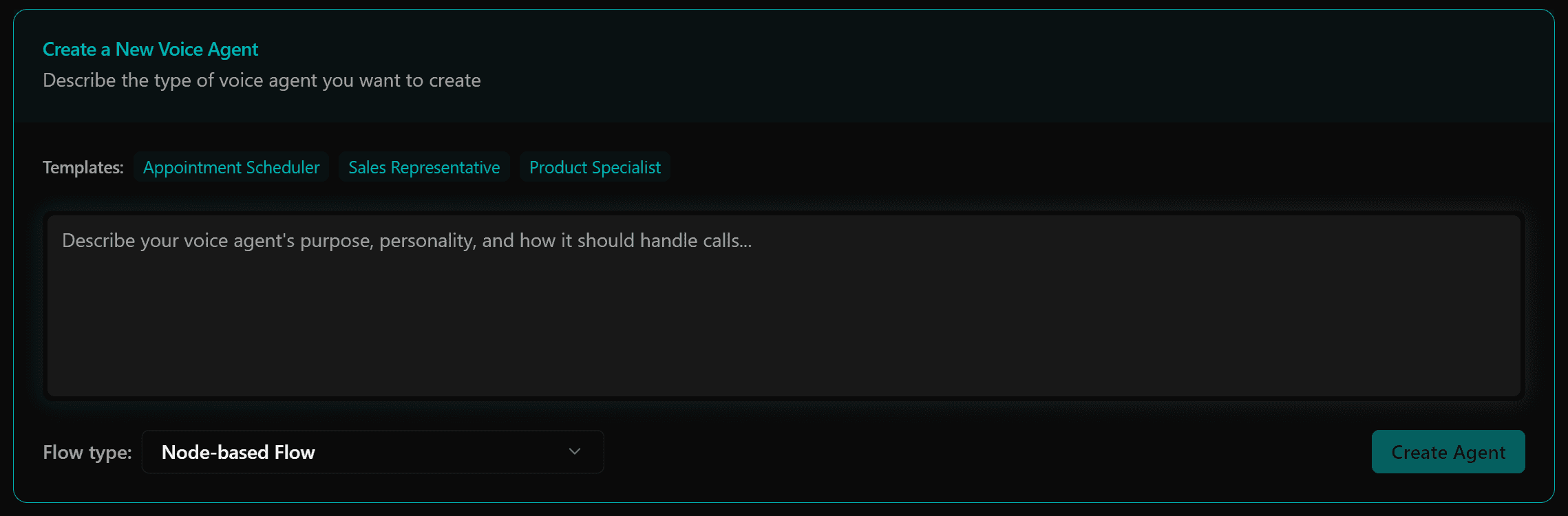
Describe what type of Voice AI assistant you want
Simply describe what you want your Voice AI assistant to do, and we'll build it for you.
Build your assistant through natural conversation - just chat with our platform about what you need.
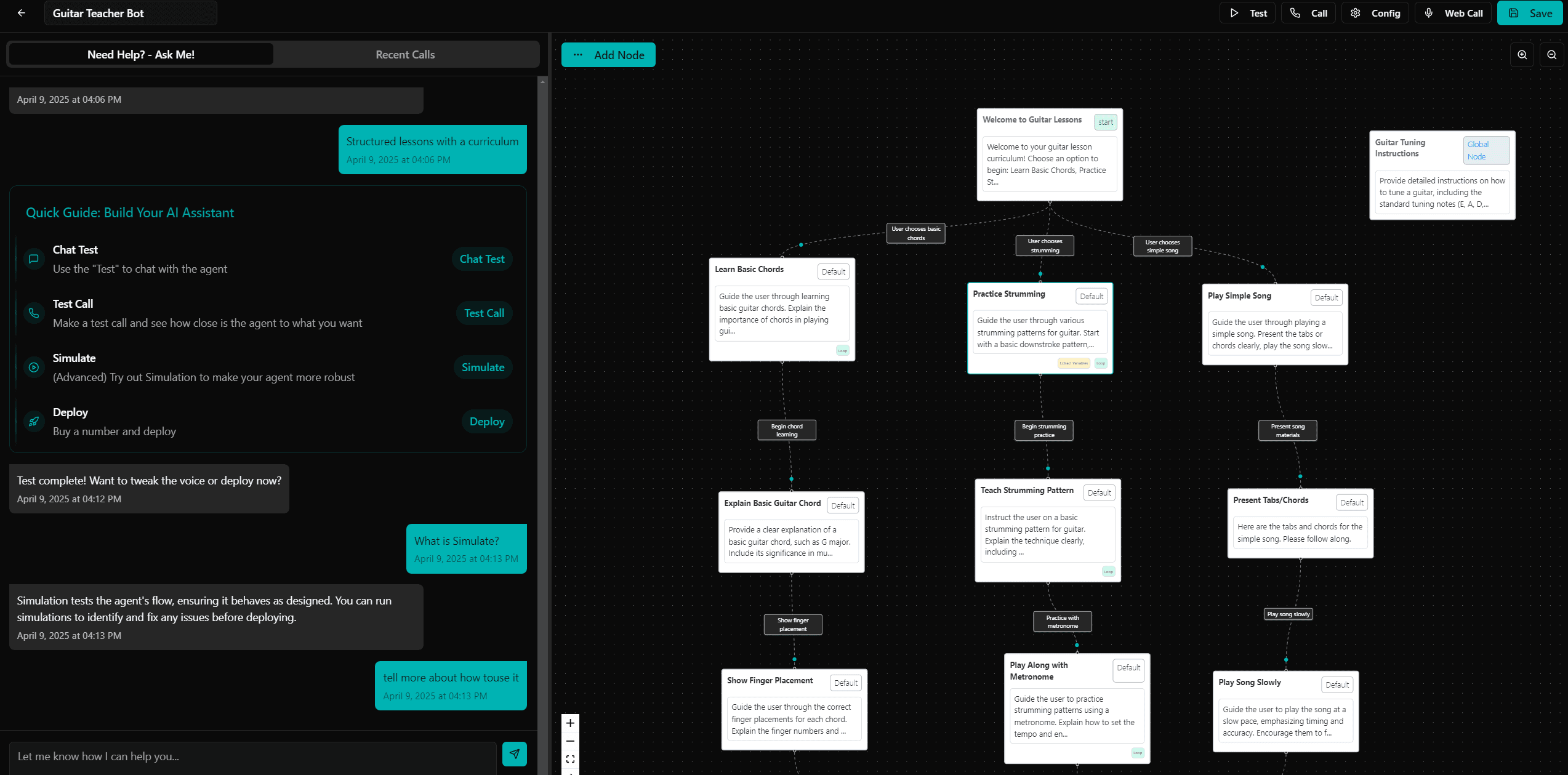
Fine-tune your assistant's capabilities with our intuitive drag-and-drop editor.
Start with industry-specific templates and customize to your needs.
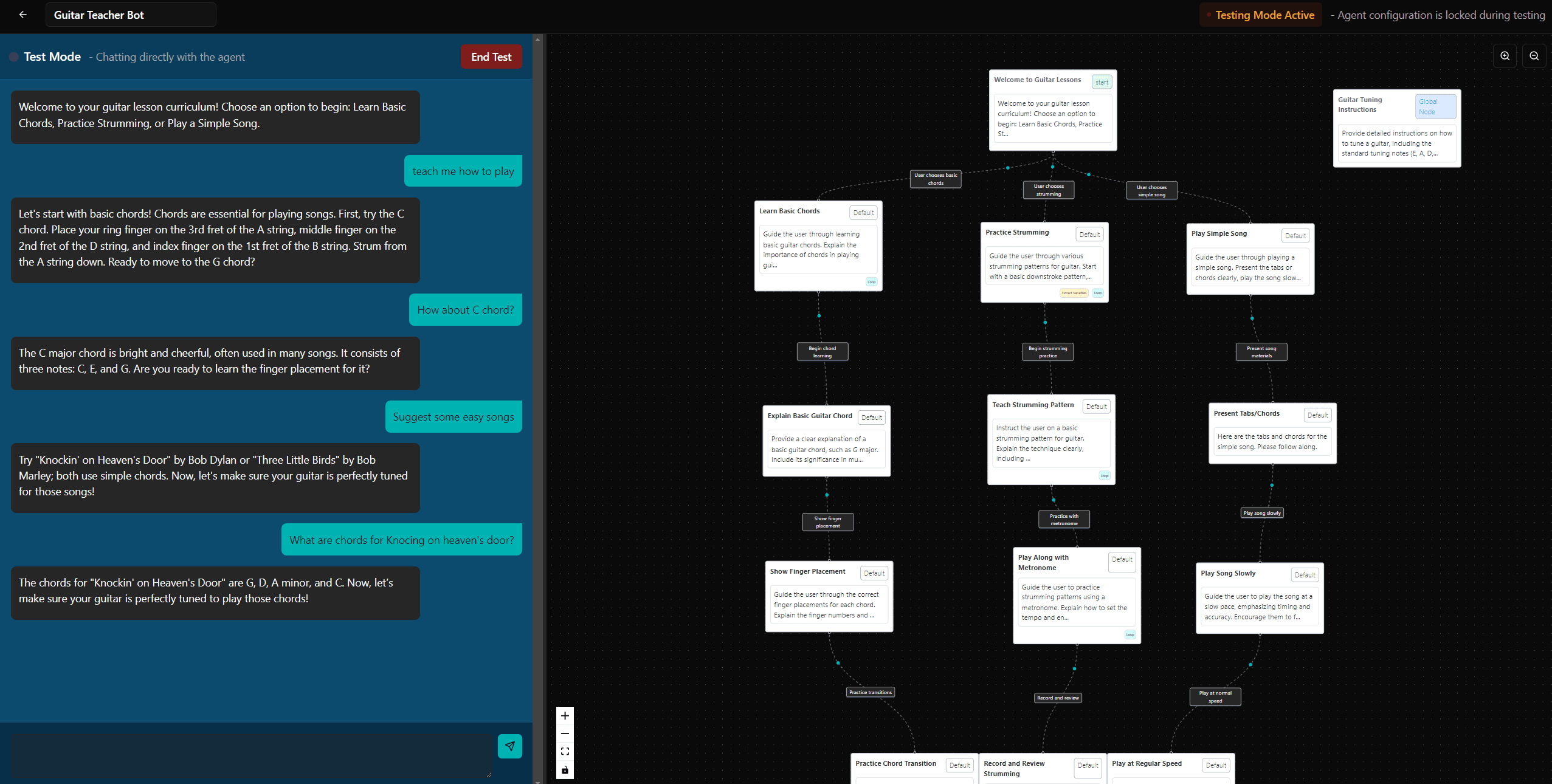
Try out your assistant and see how it performs
Enhance through chat and drag-and-drop
Make your assistant available to your users
Track performance and make improvements
Simply describe your voice AI assistant in plain text, then watch us do the rest. Building voice AI assistants is easier than ever before.
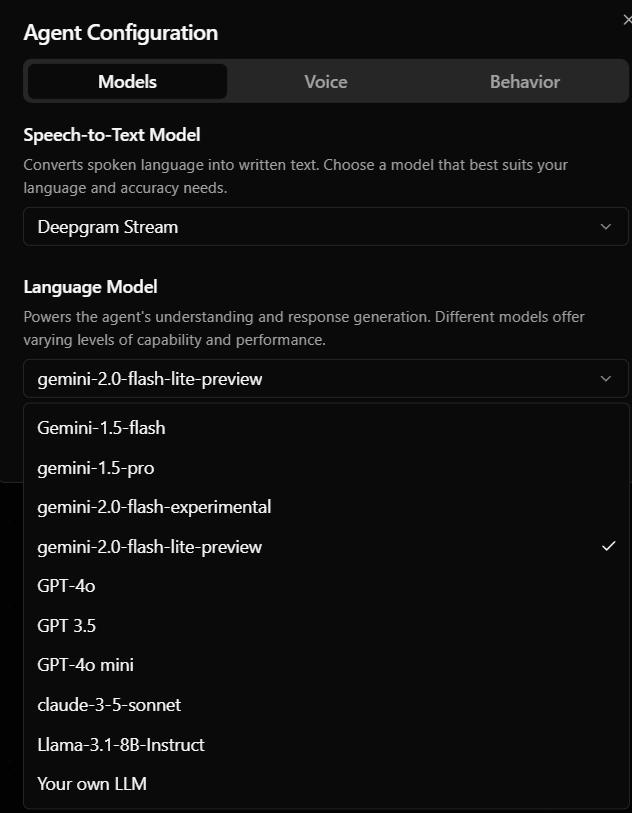
Just write in text what changes you want made to your voice AI assistant. Ask in text to configure 100s of voices, latest LLMs, capabilities like call transfers, adding knowledge bases, making voice AI assistant doing web search.
Build reliable voice AI assistants through rigorous simulated testing, real-time observability to track issues, and effortless no-code LLM fine-tuning, evaluation, deployment, and monitoring.
Sync schedules and customer records with Cal.com, Google Calendar, HubSpot, and Salesforce.
Trigger Zapier, Make, and n8n workflows from call events and agent actions.
Bring your existing phone numbers from Twilio, RingCentral, Vonage, or Exotel.
Push transcripts, hand-offs, and call summaries to Slack and WhatsApp.
Spin up a production-grade voice agent from a single prompt. Free to try, no credit card required.
Walk through OmniDimension with our team. Get tailored guidance for your use case and pricing.